10 Questions to Ask Before Buying a Fiber Laser Marking Machine
Meta Description: Planning to buy a fiber laser marking machine? Here are 10 important questions every buyer should ask before making a decision, based on real industry experience.
I Wish Every Customer Asked These Questions Before Buying
After selling laser marking machines for years, I've noticed something interesting.
Most customers spend hours comparing prices.
Some compare laser power.
Others compare brands.
But very few ask the questions that actually matter.
And honestly, that's where expensive mistakes happen.
I've spoken with customers who bought a machine because it was $500 cheaper, only to realize a few months later that it couldn't do the work they actually needed.
I've also seen customers spend extra money on features they never used.
So if you're planning to invest in a fiber laser marking machine, here are the ten questions I believe every buyer should ask before making a decision.
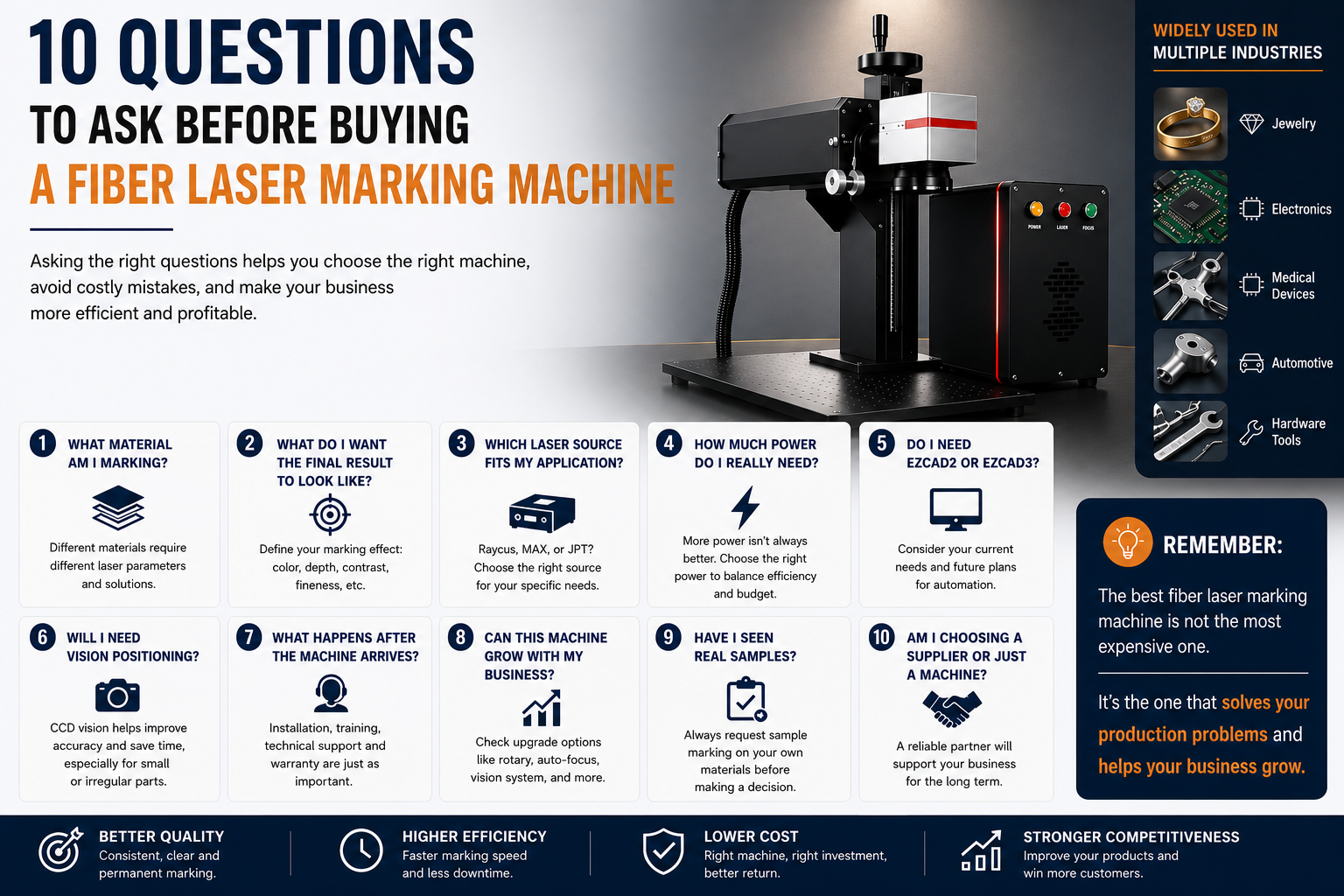
1. What Material Am I Actually Marking?

This sounds obvious.
But you'd be surprised how often people skip this question.
Stainless steel, aluminum, brass, titanium, plastics, coated metals and anodized aluminum all behave differently under a laser.
A machine that's perfect for stainless steel may not be the best choice for plastics or color marking.
The material should always come before the machine.
2. What Do I Want the Final Result to Look Like?

Not every customer wants the same thing.
Some only need readable serial numbers.
Others want deep engraving.
Some need permanent black marks on anodized aluminum.
Jewelry manufacturers often care more about fine details than marking speed.
Knowing your expected result makes choosing the right laser source much easier.
3. Which Laser Source Fits My Application?

This is probably the question customers ask me most often.
Raycus, MAX and JPT are all good laser sources.
But they're designed for different applications.
If you're doing general industrial marking, Raycus or MAX are often excellent choices.
If you need color marking, black anodized aluminum or delicate engraving, JPT MOPA usually offers clear advantages.
Don't choose a laser source because it's more expensive.
Choose it because it matches your work.
4. How Much Power Do I Really Need?

Many buyers assume more power is always better.
That's not necessarily true.
For most marking applications:
- 20W is suitable for basic engraving.
- 30W is a popular all-round choice.
- 50W offers faster marking and deeper engraving.
- Higher power is mainly useful for specific industrial applications.
Buying more power than you need doesn't always improve productivity.
Sometimes it only increases your budget.
5. Do I Need EZCAD2 or EZCAD3?

This depends on your production plan.
If you're doing standard laser marking, EZCAD2 is still a stable and reliable solution.
If you're planning automation, vision positioning or smart manufacturing integration, EZCAD3 is usually worth considering.
Think about where your factory will be in three years, not just next month.
6. Will I Need Vision Positioning?

If every product is placed in exactly the same fixture, probably not.
But if you're marking jewelry, electronics or small precision parts, vision positioning can save a surprising amount of time.
More importantly, it reduces positioning errors and scrap.
Sometimes the camera pays for itself much faster than customers expect.
7. What Happens After the Machine Arrives?

This is a question many buyers forget.
Who provides installation?
Who offers training?
What happens if something goes wrong six months later?
A laser marking machine is only as good as the support behind it.
Price is important.
After-sales service is just as important.
8. Can This Machine Grow With My Business?

Many companies start with simple marking.
Later they want automation.
Rotary marking.
Vision systems.
Production line integration.
If you think your business will grow, choose a machine that can grow with you.
Replacing an entire system later usually costs much more.
9. Have I Seen Real Samples?

Videos look impressive.
Brochures look professional.
But nothing replaces seeing actual samples marked on your own material.
Whenever possible, ask your supplier to mark your products before placing an order.
Real samples answer questions that specifications never can.
10. Am I Choosing a Supplier or Just a Machine?

This may be the most important question of all.
Machines can look very similar.
Many even use the same components.
What often makes the biggest difference is the company behind them.
Will they answer your questions?
Will they help when problems appear?
Will they still respond two years later?
You're not only buying equipment.
You're starting a long-term partnership.
Final Thoughts
If I could give only one piece of advice, it would be this:
Don't buy the machine that looks the most impressive.
Buy the machine that solves your actual production problems.
The right laser marking machine should make your work easier, your production more consistent and your business more profitable.
That's what really matters.
FAQ
What power is best for a fiber laser marking machine?
For most applications, 30W or 50W offers the best balance between performance and cost.
Should I choose Raycus, MAX or JPT?
It depends on your material and application. General marking usually works well with Raycus or MAX, while JPT is often preferred for color marking and fine engraving.
Is EZCAD3 worth the extra investment?
If you plan to use automation or vision positioning, yes. For standard marking, EZCAD2 is still an excellent choice.
Should I request sample marking before buying?
Absolutely. Testing your own material is one of the best ways to avoid costly mistakes.
Contact XINGTAI Laser
Still not sure which fiber laser marking machine is right for your business?
Our engineers can recommend the right configuration based on your materials, production goals and budget.
📱 WhatsApp: +86 18722099531
📧 Email: rachel@tjxtmachine.com
🌐 Website: www.tjxtmachine.com